
|
Main Page Forums Support
GRASSGAMES ACCOUNTS

Some things to understand about GrassGames Accounts
| Your GrassGames Account is an account used for playing online games in GrassGames' titles and nothing more. |
| This account has nothing to do with GrassGames Forum Accounts (used in the forums) or GrassGames Customer Accounts (used for downloading/unlocking full versions of the games). |
| There is no charge for registering for a GrassGames Account. |
| This account is used to ensure good player behaviour online, and will also be used for online leagues, ladders and tournaments in the future. |
| Usernames are unique and will be displayed in the network games lobby in the game and when playing network games. |
| Usernames cannot be changed. The only way to get a new username is to delete your existing account and create a new one. |
How to Setup your GrassGames Account
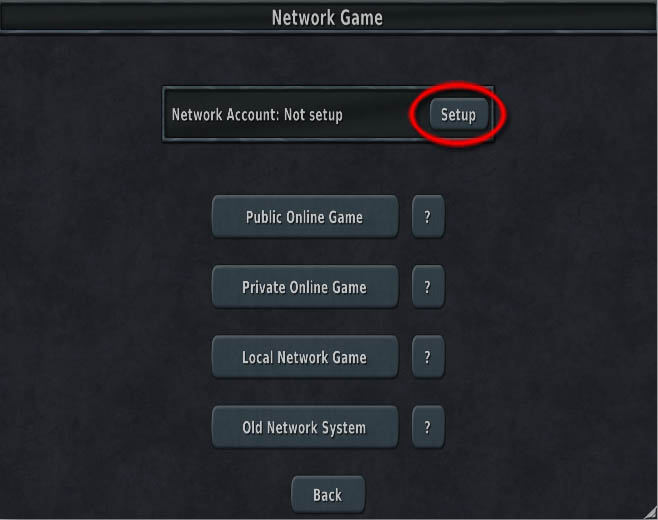
1) Go to network games within your game
2) Select "Setup":
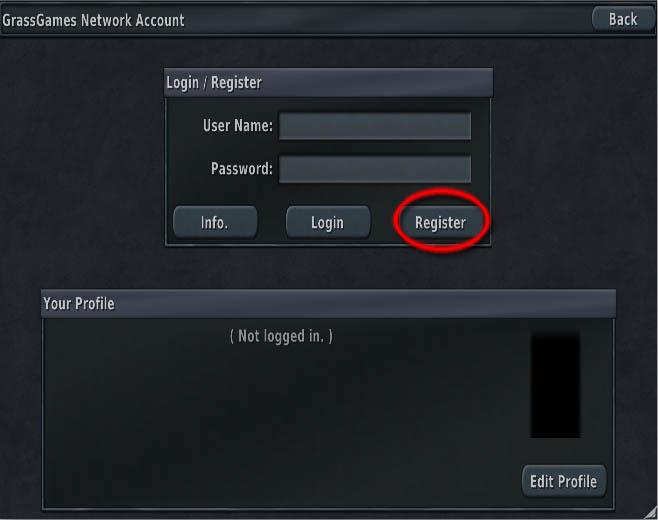
2) If you have not registered here already click the "Register" button.
If you have registered already proceed to step 8.
3) Enter in your desired username and password and your e-mail address, and press "Register" when done.
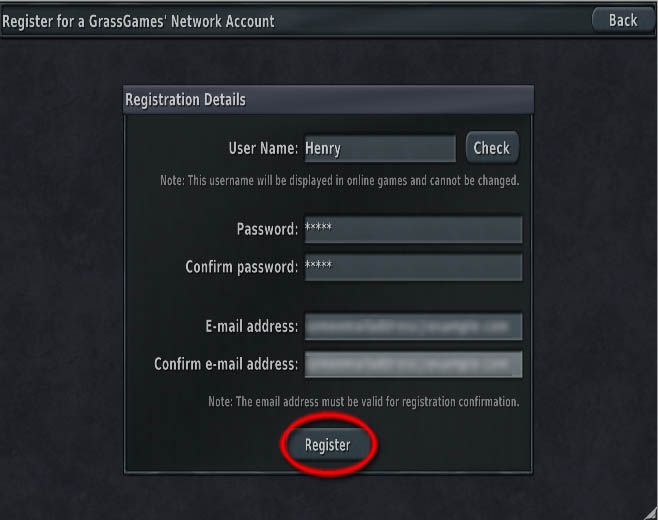
4) Remember your password!
5) You should get the "Registration Successful" message:
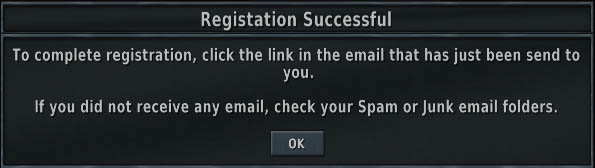
If you get an "e-mail already in use" message instead, then this probably just means you have already registered, so just proceed to the next step.
6) Check your e-mail for an e-mail from GrassGames and confirm your network account by following the instructions in the e-mail.
7) Press "OK" to close the "Registration Successful" box in the game.
If you had already closed the game, repeat steps 1 and 2.
8) Enter your password (your username should already be filled in, if not enter it also) and press "Login":
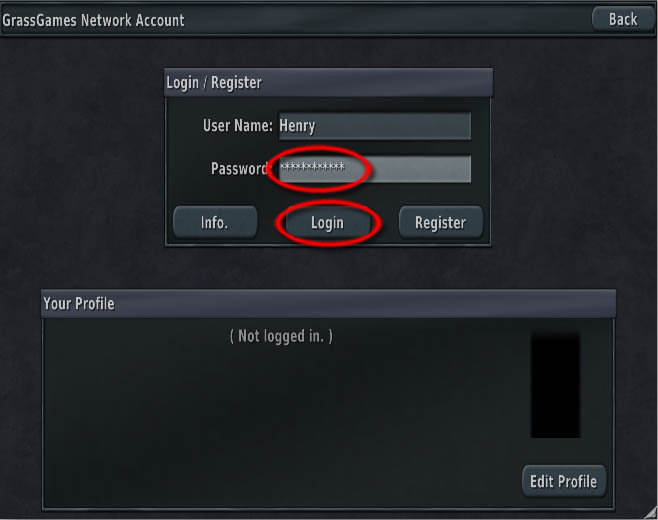
9) You are now ready to play online games.
At this stage you might want to setup your Avatar (GrassGames' Hearts only).